Netflix Playground: Kids Games
Netflix, Inc.Educational
4.478.00 Reviews
- Version
- 9.91.0
- Installs
- 1.00M
- Age Rating
- Everyone
Screenshots
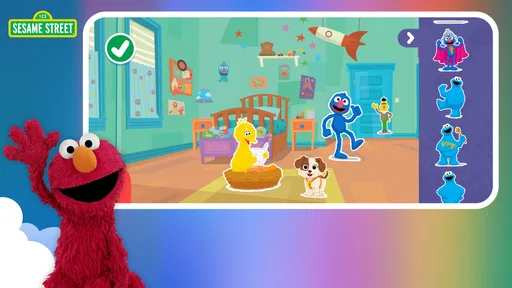
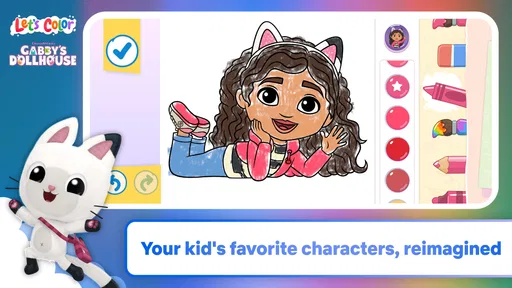
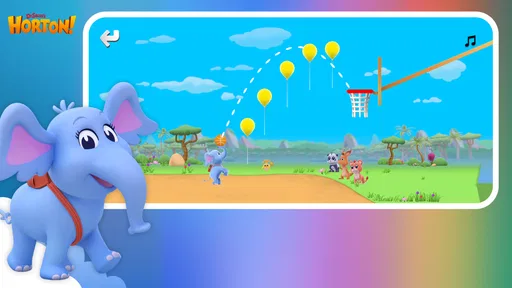
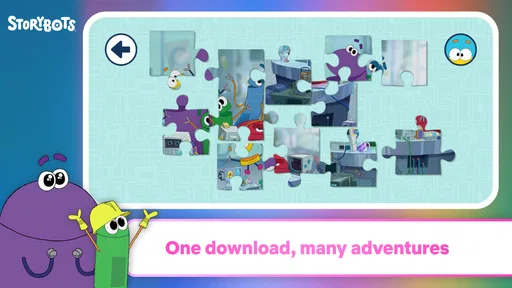

Our Review of Netflix Playground: Kids Games
 Analysis by Appyee
I spent time with Netflix Playground as a children’s educational game, and my first impression was that it is trying to make learning feel like play rather than a separate task. Its appeal comes from a colorful setting and familiar Netflix characters, which can make the first few minutes less intimidating for younger players. The important question, though, is not simply whether it looks friendly. It is whether the experience gives a child enough meaningful activity to justify keeping it installed.
This is a free game from Netflix, Inc., rated for Everyone. That makes the initial decision fairly simple: there is no purchase price to weigh before trying it. I would still approach it as a trial rather than assuming that “free” automatically means unlimited value. A child may enjoy the presentation immediately, while a parent will want to see whether the activities hold attention and support useful learning over repeated sessions.
How Netflix Playground feels in everyday use
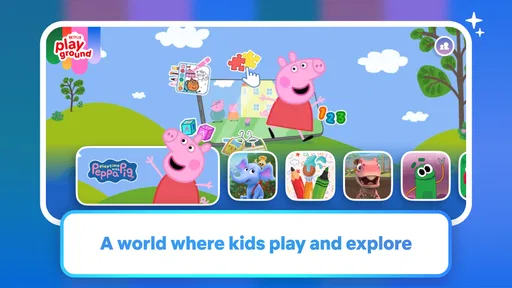
The central idea is easy to understand. Children enter a playful world where learning is connected to recognizable characters instead of being presented as a formal lesson. In my experience, that framing matters. A child who resists a workbook may be more willing to explore an activity when it feels like time spent with a favorite character.
The strongest use case is a short, supervised session. Imagine a child waiting at a restaurant, sitting through a long journey, or needing a calm activity before bedtime. This game can fill that gap without asking the child to begin with a dry explanation or a complicated setup. I would introduce it in small portions, then ask the child what they discovered. That turns passive screen time into a conversation about the activity.
Its educational category also sets a different expectation from a conventional character game. I would not judge it only by how entertaining the world looks. The better test is whether the child is making choices, recognizing patterns, remembering information, or practicing a skill while playing. The colorful presentation is useful when it draws attention toward those tasks rather than becoming the entire attraction.
One practical tip is to let the child explore first without correcting every mistake. Young players often learn more when they can test an answer and see what happens. Afterward, I would revisit only the parts that caused frustration. This approach is particularly helpful with an app designed for children, because constant adult intervention can make a playful activity feel like homework.
What the free access means for its value
The game is listed as free, so families can evaluate it without committing money up front. That is its clearest value advantage over paid educational titles: the decision can be based on the child’s actual response rather than a description or a trailer. I would install it, observe one or two sessions, and then decide whether it deserves a regular place in the child’s routine.
Free access does not make every child a good match. A younger player may be delighted by the characters but lose interest once the novelty fades. Another child may prefer drawing, building, reading, or open-ended creative play and find a guided educational game too narrow. The absence of a purchase price reduces financial risk, but it does not remove the time cost of helping a child find the right activity.
I also think parents should separate character recognition from educational value. Familiar faces can open the door, but they are not a substitute for well-matched difficulty. If a child completes activities without thinking, the game may be entertaining but not especially useful. If the tasks are too difficult, the same attractive presentation may only make frustration more noticeable.
Because the game comes from Netflix, Inc., it has a natural advantage for households already comfortable with the company’s children’s entertainment. That familiarity may make it easier to persuade a reluctant child to try the app. Still, I would judge the game on what the child actually does inside it, not on the strength of the brand around it.
Learning value beyond the first session
The most promising role for this title is as a supplement to other activities. I would not use it as a replacement for reading with a child, hands-on play, schoolwork, or conversation. Instead, it can provide a change of pace between those activities. A short digital challenge followed by a real-world task can be more effective than leaving the child with an app for an extended, unstructured period.
For example, after a child plays an activity involving sorting, matching, or recognizing differences, I might continue the idea with household objects. We could group socks by color, arrange toys by size, or find shapes around the room. The game then becomes a starting point for practice rather than a closed-off screen experience. This is one of the better ways to extract educational value from a character-led app.
Another useful workflow is to watch for the child’s preferred type of challenge. Some children respond to quick recognition tasks, while others need more time to think before selecting an answer. I would notice whether the child is rushing, repeating the same action, or asking for help. That observation tells me more about the game’s fit than the first burst of excitement.
Parents should also consider whether the child can use the game independently. An app for young children is more valuable when its controls and instructions are understandable without constant adult translation. At the same time, complete independence is not always the best goal. A child who occasionally explains a choice to a parent may gain more from the experience than one who simply taps through it alone.
Where the experience may fall short
The character-focused approach can be a strength and a limitation at once. It creates an inviting entry point, but it may not satisfy families looking for a clearly sequenced curriculum. If your priority is a defined progression in reading, mathematics, language, or another school subject, a dedicated learning platform may be a better choice because its purpose is more specialized.
I would also be cautious about using it to occupy a child for a long stretch. Educational games can still become repetitive when played beyond the point of concentration. A child may continue tapping because the visuals are appealing, not because the activity remains mentally useful. Short sessions with a clear stopping point are more sensible than treating the game as an all-day babysitter.
Another trade-off is the role of familiar characters. They can motivate a child who already likes them, but a child with no connection to those characters may not receive the same benefit. In that situation, the game has to stand on its activities alone. If those activities do not match the child’s interests, the recognizable presentation will not solve the problem.
I would also avoid assuming that an Everyone age rating means every child will find every activity equally suitable. The rating communicates broad accessibility, but children at different stages still vary widely in reading ability, patience, and confidence. An adult may need to choose the right moment and offer occasional guidance, especially when the child becomes discouraged.
Who is most likely to get real value
This game makes the most sense for families seeking a low-risk, child-friendly educational option that can be tested without a purchase. It is especially suitable for children who are drawn to colorful worlds and familiar entertainment characters. It may also work well as a transition activity: something to use for a short period before a meal, during travel, or between offline tasks.
I would recommend trying it with a child who enjoys discovering things but does not respond well to formal instruction. The playful setting may lower resistance and create an opportunity to practice attention and problem-solving. It is also a reasonable option for parents who want to observe how a child approaches digital challenges before choosing a more specialized educational product.
It is less suitable as the main learning tool for a child who needs a structured academic program. If you want explicit lessons, measurable progression, or a tightly focused subject path, I would look at alternatives built around that particular goal. A general educational playground can complement those tools, but it should not be expected to replace them.
I would also skip it for a child who becomes overstimulated by bright, character-heavy environments or who prefers quiet, creative activities. In that case, a drawing app, physical puzzle, book, or hands-on kit may deliver better value even if this game is free. The right choice depends on how the child learns, not only on what is available at no cost.
Device details and what they imply
The current version is 9.80.0, and the minimum operating system is Android 9. That makes compatibility worth checking before installation, particularly on an older family device. If the phone or tablet runs an earlier system, the issue is not the game’s educational quality but whether the device can support it at all.
The game has an average rating of 4.2 from around 2.1 thousand ratings, with more than fifty written reviews, and it has passed one million installs. Those figures suggest that many people have tried it and that the overall response is favorable, but I would treat them as a starting signal rather than a guarantee for every child. Ratings combine different ages, expectations, devices, and definitions of what makes an educational game worthwhile.
I find written feedback more useful when deciding whether to install a children’s title, but I would still compare it with your own child’s needs. A parent looking for a quick character-based activity may be satisfied, while another parent expecting a complete curriculum may judge the same experience differently. The game’s value depends heavily on that distinction.
My recommendation after weighing the trade-offs
My verdict is to try it if you want a free educational game with a friendly, character-led presentation and you are willing to evaluate it through your child’s actual behavior. The lack of a purchase price makes experimentation easy, and the Everyone rating gives it a broad family audience. I would begin with a short session, stay nearby, and see whether the child is thinking, exploring, and explaining choices rather than merely tapping through colorful scenes.
The best value comes from treating Netflix Playground as a small part of a child’s learning routine, not as the routine itself. Use it before an offline activity, connect its challenges to everyday objects, and stop when attention drops. That approach gives the game a meaningful job without asking it to do more than a general educational app can reasonably do.
For families already interested in Netflix characters, it is an easy recommendation to test. For parents seeking a focused academic system, I would choose a specialized alternative first and consider this game only as a lighter companion. In my view, it earns its place through accessibility and approachability rather than through a promise of comprehensive instruction.
Overall, I would keep Netflix Playground on the try-it list for younger players who enjoy playful discovery. It is free to evaluate, widely used, and presented in a way that may help reluctant learners engage. Just keep the sessions purposeful, watch for repetition or frustration, and let the child’s real response—not the familiar characters alone—decide whether it stays installed.
Privacy and Permissions
See what permissions an app requests and how it handles your data.
- Photos/Media/Files
- read the contents of your USB storage, modify or delete the contents of your USB storage
- Storage
- read the contents of your USB storage, modify or delete the contents of your USB storage
- Camera
- take pictures and videos
- Microphone
- record audio
- Wi-Fi connection information
- view Wi-Fi connections
- Other
- view network connections, pair with Bluetooth devices, full network access, change your audio settings, run at startup, control vibration, prevent device from sleeping, Google Play license check, read Google service configuration
Verdict
Strengths of Netflix Playground: Kids Games
- Offers a safe, ad-free space for kids to explore Netflix characters.
- Includes simple controls designed for younger children to use independently.
- Provides familiar characters from popular Netflix shows and movies.
- Playground activities can encourage creativity through interactive play.
- Works as a separate experience from regular Netflix browsing and profiles.
Limitations of Netflix Playground: Kids Games
- Requires an active Netflix subscription to access its content.
- The selection may feel limited compared with a full game library.
- Some activities may become repetitive after extended play sessions.
- Availability of characters and features can vary by region or device.
- Parents may need to manage screen time outside the app.
Other Releases by Netflix, Inc.
View All
Netflix
Entertainment4.8

Sonic Mania Plus - NETFLIX
Action4.5

Bloons TD 6 NETFLIX
Strategy4.6

Football Manager 26 Mobile
Sports4.3
Similar Picks in This Category
View All
Little Panda Policeman
BabyBus4.0

Monster Trucks Game for Kids 2
Raz Games4.1

Little Panda's Chinese Recipes
BabyBus4.4

Little Panda's Restaurant
BabyBus4.4

Little Panda's Ice Cream Games
BabyBus4.3

Baby Panda Care
BabyBus3.8
Frequently Asked Questions
What is Netflix Playground?
Netflix Playground is an interactive mobile experience connected to Netflix entertainment content. It may include games, activities, or other playful features inspired by selected Netflix brands. The exact content can vary depending on your country, device, and the current Netflix offering. Before downloading, check the official app listing to confirm which titles and features are available in your region.
Do I need a Netflix subscription to use Netflix Playground?
Access requirements can depend on the specific version and features offered by Netflix Playground. Some experiences may require an active Netflix membership, while others could be available separately or include limited access without signing in. After installation, review the sign-in screen and the official store description carefully. A compatible Netflix account may also be required for certain games or content.
Which devices are compatible with Netflix Playground?
Compatibility depends on the operating system, device model, available storage, and the minimum software version required by the app. Netflix Playground may not work equally on every Android phone, iPhone, or tablet, particularly older devices. Check the Google Play Store or Apple App Store listing before downloading, and make sure your device has enough free space and a stable internet connection.
Does Netflix Playground require an internet connection?
Some parts of Netflix Playground may require an internet connection for downloading content, signing in, synchronizing progress, displaying updates, or accessing online features. Certain experiences might work offline after installation, but this should not be assumed for every activity or game. If you plan to use it while traveling, open the app beforehand and test which features remain available without Wi-Fi or mobile data.
Is Netflix Playground safe for children and does it include purchases or advertisements?
Netflix Playground is associated with Netflix content, but parents should still review its age rating, permissions, privacy information, and available experiences before allowing children to use it. Features can change over time, and requirements may differ by region. Check whether the app contains advertising, links to external services, in-app purchases, or account-related options, and use device parental controls when appropriate.
Play our best games!


